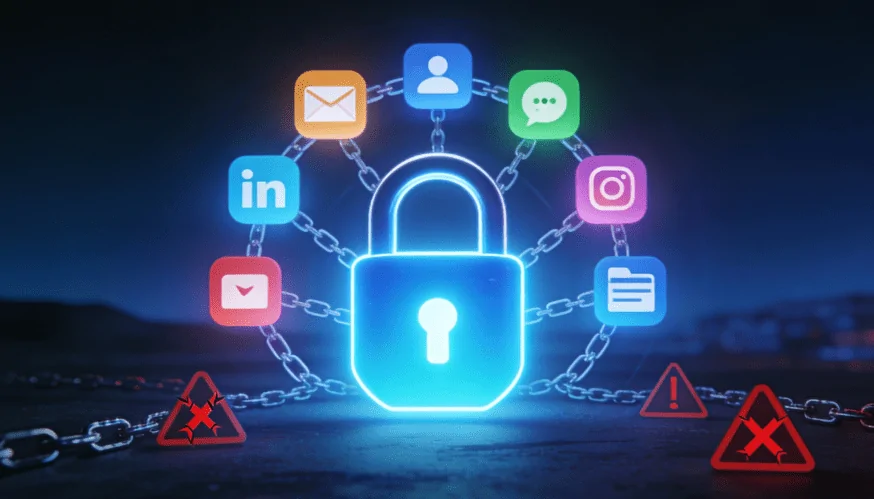
Do you use the same password for all your accounts? Then you are walking on the edge of a precipice. If this password is the same for email, social networks, banking, and other sites, your security is at risk. And this is not just a scare tactic from cyber experts: millions of real hacks confirm that this happens every day.
In this article, we will explain why you should not use the same password for all your accounts, how this works against you, and how to fix the situation without unnecessary hassle.
📊 Scale of the problem: real figures
Let’s start with what is actually happening in the world.
In 2025, Cybernews researchers discovered 16 billion accounts with logins and passwords publicly available on the Internet. For comparison, the entire population of the planet is about 8.3 billion people. This data was leaked from Facebook, Telegram, Google, Apple, GitHub, and hundreds of other services.
And most importantly, most of these leaks did not occur because of some super hackers. For the most part, this is due to malicious software that steals credentials directly from people’s computers. This data is then sold on black markets, distributed on forums, or simply posted online for everyone to see.
The most dangerous thing is that once one site has been hacked, the attacker not only has the password for that service, but also the ability to access all your accounts if you use the same password everywhere.
🎯 How it actually works: credential stuffing attack
Let’s say you are registered on a movie theater website. The site is poorly secured, and almost no one pays much attention to it. Suddenly, hackers break into it. They download a database containing 50,000 passwords and email addresses.
At this point, most people think, “So they got the password from the movie theater, so what?”
In reality, this is the beginning of a catastrophe.
I’ll explain the mechanics:
1️⃣ Data leak — attackers have a database containing email addresses and passwords.
2️⃣ Automated attack — special bot programs now automatically check this email and password on thousands of other sites: Google, Facebook, Instagram, Twitter, Amazon, eBay, everything that is most popular.
3️⃣ Success — if you use the same password everywhere, bots literally need seconds to gain access to your email, social networks, and more.
This type of attack is called credential stuffing. It is extremely effective: on average, between 0.1% and 2% of attempts are successful. In practical terms, this means that from a database of 50 million credentials, attackers can gain access to between 500,000 and 1 million accounts.
The worst thing is that users only find out about the leak when it’s too late — when someone logs into their account, steals their money, or spreads their personal information.
💥 What will a malicious user do with your account?
As soon as an attacker gains access to an account using a reused password, they effectively have a whole range of opportunities for further attacks.
🚨 On a bank or payment services:
- Steal money from your account.
- Will make payments on your behalf.
- Will find out your payment card details and use them.
😱 On social media (Instagram, Facebook, Telegram):
- Write a message on your behalf to your friends saying that you urgently need money.
- Spread fraudulent links (to virus sites, phishing, tasks, “earnings”) from your account.
- He will impersonate you to deceive your acquaintances.
📧 By email:
- This is the key to everything. Once they have access to it, attackers can easily recover passwords for any other services by simply using the “Forgot password” feature.
🖼️ On cloud storage (Google Drive, Dropbox):
- It will steal all your photos, documents, and payment details.
- He may then demand a ransom from you: either pay up, or I’ll post it on the Internet.
It is alarming that many users employ the same password even for critical services. A single leak is sufficient to compromise all digital security in a matter of seconds.
🔍 Why people still choose one password
We understand that remembering dozens of unique passwords is almost impossible. Therefore, choosing one password for everything is not foolishness, but a natural attempt to survive in reality.
- Human memory is limited. A complex password consisting of 16 characters is very difficult to remember.
- We have hundreds of accounts — from music to stores, from messengers to online banks.
- One password is simple and convenient.
But the price of this convenience is your security. And it’s too high.
The good news is that solutions exist — and they really work.
🛡️ How to protect yourself immediately
If you just realized that you use the same password everywhere, don’t panic. Here’s what you should do.
Step 1: Check if you are already in the leaks
Go to haveibeenpwned.com. Enter your email address.
The website shows whether your email address has been found in any data leaks. If so, the system will show which service the data was leaked from and when it happened.
This is really useful because it lets you know which accounts are at risk.
Step 2: Prioritize critical accounts
You can’t change your password everywhere in one day. And you don’t need to. Start with the most important ones:
- 🏦 Email is the master key. Once they have access to it, attackers can recover passwords for any service.
- 🏦 Internet banking — everything is obvious here: direct access to your money.
- 💳 Payment services — PayPal, cards, crypto wallets.
- 📱 Social media — Facebook, Instagram, Telegram (here, people often attack friends on your behalf).
The rest (favorite websites, stores, entertainment services) are lower in priority.
Step 3: Change your password on critical accounts
For email and banking, do the following:
- Set up new complex and unique passwords. More on this later.
- Activate two-factor authentication (2FA) as much as possible. More on this later.
At this stage, you have already reduced the risk by 90%. Even if an attacker has your old cinema password, they will still not be able to access your email or bank account.
Step 4: Set up a password manager
Don’t try to remember 50 complex passwords. It’s impossible. Instead, install a password manager — a program that will do it for you.
A password manager is an encrypted storage facility for your passwords. You only need to remember one master password, and the program manages all the others.
How it works:
1️⃣ Install a manager (e.g., Bitwarden, 1Password, KeePass, Proton Pass).
2️⃣ Create one very complex master password (20+ characters).
3️⃣ The manager generates complex unique passwords for each site and automatically enters them.
4️⃣ Everything is encrypted. Even the manager’s developers cannot see your passwords.
Good free options: Bitwarden, KeePass (for those who prefer offline storage and maximum control). Paid but reliable: 1Password — the most accurate and well-designed manager; Proton Pass — from a privacy-focused project.
Step 5: Enable two-factor authentication (2FA)
2FA is a second level of protection. Even if an attacker manages to guess your password, they won’t be able to get in without the second code.
How 2FA works:
1️⃣ You enter your password.
2️⃣ The system asks you to enter a 6-digit code that is generated on your phone in the app (Google Authenticator, Authy, Microsoft Authenticator) or sent via SMS.
3️⃣ After entering the code, access is granted — you log into your account.
And that’s where the attack stops. Even if they know your password, attackers won’t be able to log in without access to your phone.
Activate 2FA in:
- Google, Gmail, YouTube
- Facebook, Instagram
- Microsoft, Outlook
- Banking applications
- Telegram (if you have something important there)
Some banks are already making 2FA mandatory, which is a really positive step for security.
🔐 How to create a strong password (if you’re doing it manually)
If you don’t use a password manager, at least make sure you create passwords correctly.
❌ Bad password:
Qwerty12— a simple sequence of keys, very elementary.Password123— a word from the dictionary with numbers added at the end.1989orMaria1995— birth names or names that are easy to guess.Mycat123— the name of a pet with numbers, also predictable.
Why are they bad? Because:
- Key sequences (qwerty, asdf) are the first ones that bots try.
- Dictionary words — the database contains millions of word variations.
- Personal information — date of birth is easy to find on social media.
- Simple numbers at the end (123, 1234, 1111) — 38.6% of all common passwords contain the sequence “123”.
According to a 2025 study by Comparitech, among the 2 billion passwords that were actually leaked, the most common were:
| Position | Password | Number of entries |
|---|---|---|
| 1 | 123456 | 7.6 million |
| 2 | 12345678 | 3.6 million |
| 3 | 123456789 | 2.8 million |
| 4 | admin | 1.9 million |
| 5 | 1234 | 1.7 million |
| 6 | Aa123456 | 1.4 million |
| 7 | 12345 | 1.3 million |
| 8 | password | 1.0 million |
If you see your password in this table, change it immediately. This is the first thing any hacker will try.
Example of a strong password:
Kl9#mQ@xZpL2vNw— 16 characters, a random combination of upper and lower case letters, numbers, and special characters.- It is not a word or a predictable set of characters.
- It is practically impossible to guess such a password.
- Each site must have its own unique password.
To create strong passwords, feel free to use password generators — they provide truly random and robust combinations.
The rule in simple words:
Minimum 12 characters. Ideally, 16 or more.
Should include:
- ✅ Capital letters (A, B, C, Z)
- ✅ Lowercase letters (a, b, c, z)
- ✅ Numbers (0–9)
- ✅ Symbols (!@#$%^&*)
If you are creative, you can create passwords based on phrases.
For example, the phrase “My cat ate meat in July 2025!” gives the first letters MkYmVly2025!, which turns into the password MkYmVly2025! — complex, unique, and easy to remember.
But, honestly, a password manager makes life much easier.
❓ Frequently asked questions
Does 2FA help if my password is simple?
Partially yes, but not completely.
If your password is 123456 and 2FA is not enabled, an attacker can get in without any problems. With 2FA, they also need access to your phone, which makes the attack much more difficult.
But it’s important to remember: 2FA without a strong password is like an expensive lock with a cheap key. For reliable protection, you need both elements — a strong password and 2FA.
Can you reuse passwords on unimportant websites?
You can’t think that way — even if the service seems unimportant.
A common mistake: a movie theater website may seem insignificant, but after a leak, it becomes the first step to your email and, subsequently, your bank account.
Any service should be considered a potential entry point for an attack. Therefore, unique passwords are required everywhere — without exception.
How can you painlessly update your passwords if you have a lot of them?
Changing all your passwords at once is a big and exhausting task. And that’s okay.
So start with the most critical ones: email, bank, payment services. Update the rest gradually — at least one password per week.
In a year, you will change everything, and the risk will decrease with each new reliable password.
What should I do if I already see my data online?
1️⃣ Immediately change passwords on critical accounts.
2️⃣ Enable 2FA for additional protection.
3️⃣ Monitor your bank account for suspicious transactions.
4️⃣ Consider credit monitoring, as attackers may use data breaches for identity theft.
5️⃣ Notify the service from which the breach occurred, if possible.
🎯 Conclusion: start right now
We understand that this may seem like a lot of work. In reality, it isn’t. It literally takes 30 minutes:
- Check yourself at haveibeenpwned.com (2 minutes).
- Install a password manager (5 minutes).
- Change your passwords for email and banking (10 minutes).
- Enable 2FA for your email and bank (5 minutes).
- Change your passwords on 2–3 other important services (5 minutes).
That’s all. There’s nothing else to do today.
Tomorrow you can relax — your accounts are now much more secure. Then gradually, one account per week, change the rest of your passwords.
Remember: data breaches are not a matter of “if” but “when.” And when that happens, you need to have unique passwords for each service. That’s the only way to control the consequences.
Get started today. 🔐